If you are having difficulty accessing or using the Kids Autism Hub please check the list of commons support questions below. These will answer many issues.
If you’d like an overview of the service you can view the introductory tour again.
If you are still having difficulties please see My question isn’t answered for more information about how to contact us.
Frequently asked questions
Click on a question to see the answer.
Accessing the website
I can't remember my password
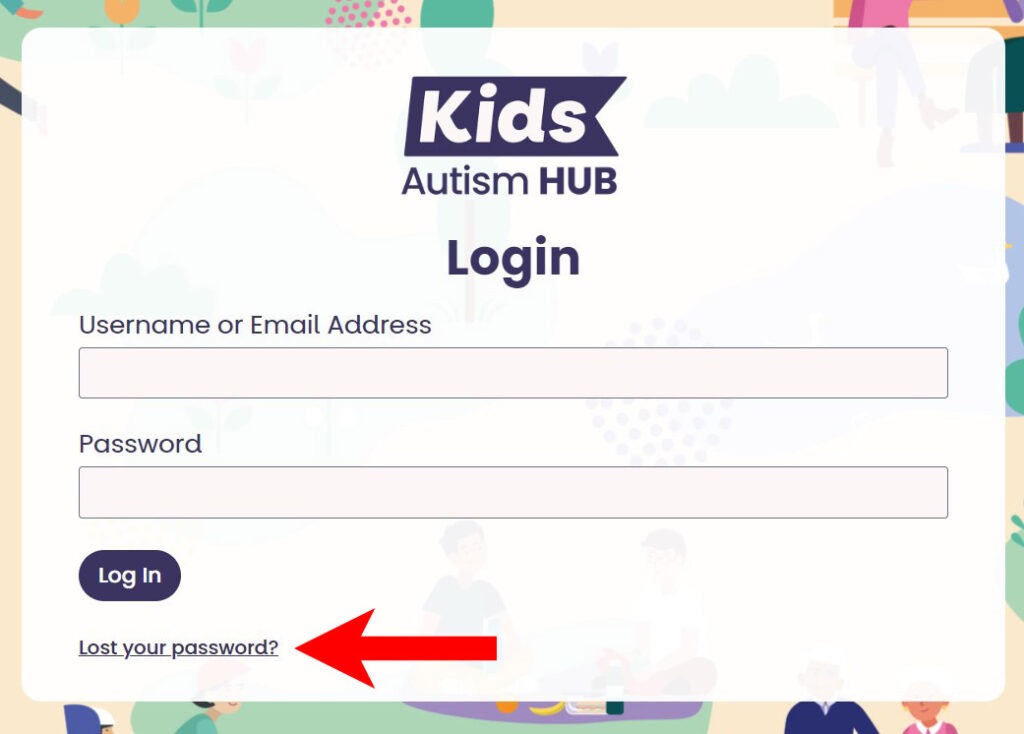
You can reset your own password at any time.
To do that go to the login form and click on the ‘lost your password?’ link.
We will ask you to enter your username or email address and will then send an email to the email address we have registered for you.
The email will contain a verification link. When you click that link you will be taken to a page on the website where you can choose a new password.
My password isn't working
You can reset your own password at any time.
To do that go to the login form and click on the ‘lost your password?’ link.
We will ask you to enter your username or email address and will then send an email to the email address we have registered for you.
The email will contain a verification link. When you click that link you will be taken to a page on the website where you can choose a new password.
If that doesn’t work, please contact us and we will investigate.
I can't remember my username
If you can’t remember the username you chose when you signed up to the service then please try using your email address in the login form. The system will accept both your username and email address to log you in.
If that doesn’t work please contact us.
How do I get access to the service for my child or me?
The Kids Autism Hub is for:
- young people aged 12 – 25 living in Essex, Southend, or Thurrock who have been newly diagnosed as autistic or are on the diagnosis pathway
- the parents, carers, siblings, or grandparents of those young people.
To access the Autism Hub you need to be referred by an NHS autism professional or a SENDCO.
If you believe you fit the criteria but you are struggling to find a professional to refer you please contact us and we will try to help.
Other questions
How do I view the Topics my child can see?
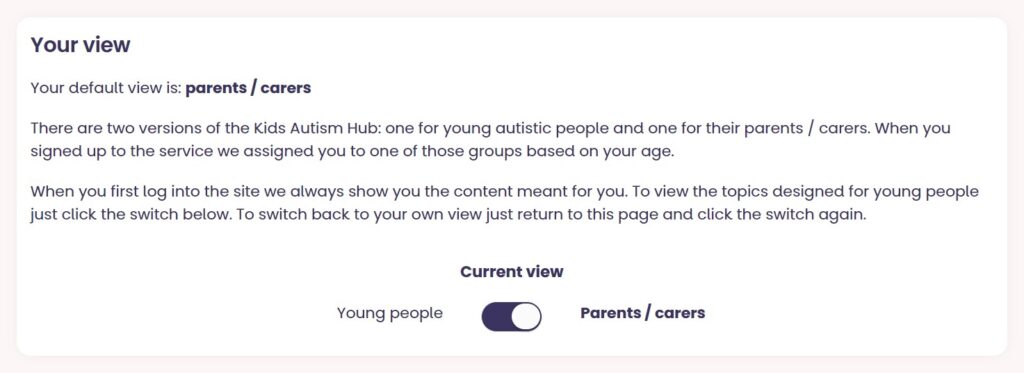
Just visit your profile page (you can find the link to that by clicking on the profile button at the very right hand side of the main menu).
On that page there is a section titled ‘My view‘. Just click the button in there to switch your default view. The screenshot below shows what that section looks like.
If you are a parent you will then be able to view all the Topics and Groups available to young people.
To switch back just return to that page and click the switch again.
How do I view the Topics my parent / carer can see?
Just visit your profile page (you can find the link to that by clicking on the profile button at the very right hand side of the main menu).
On that page there is a section titled ‘My view‘. Just click the button in there to switch your default view. The screenshot below shows what that section looks like.
If you are a young person you will then be able to view all the Topics and Groups available to parents and carers.
To switch back just return to that page and click the switch again.
How do I book onto a group?
To book a place on a group just fill in the form at the bottom of the group’s page on the website.
If a form isn’t visible that means that all the places have already been booked. Please check back again as we run groups regularly and the webinar you were interested in should be available again soon.
If you’d like to find out when or suggest other group subjects please contact us.
I've read a whole Topic but I haven't been given a certificate.
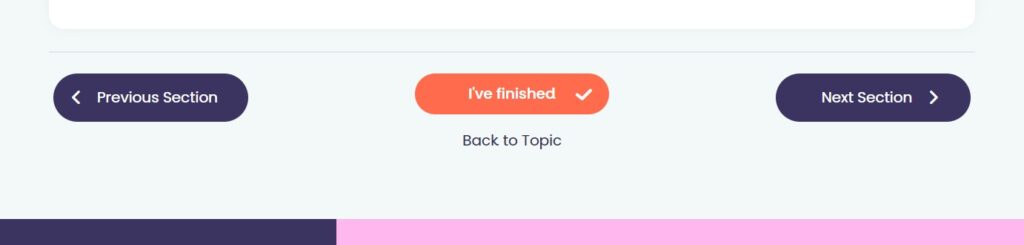
Before you can receive a certificate you have to mark each section of a topic as read.
To do that just click the ‘I’ve finished‘ button at the bottom of each section.
Once you have done that on each section in a Topic you’ll get a certificate for that topic. You can view all the certificates you have collected on your Dashboard page.
How do I delete my account?
If you want to delete your account just go to your profile page and click the button to ‘export your data or withdraw your consent’. You will be asked to confirm your details in a form. Once you submit the form we will verify your details then process your request.
Please be aware that if you delete your account you’ll lose access to all the Topics, any certificates you have received, and you won’t be able to book onto any further groups.
My question isn't answered
You can contact our support team using the form below. Please give us as much detail as possible about the issue you’re facing. We aim to respond to all queries within 5 working days.